Appearance
How to set up an agency account
An agency account lets you manage all of your clients' Feedr accounts from one place. Each client keeps their own team, shops and subscription. Your agency gets one overview of every client, and you can jump straight into their shops to work on feeds and templates.
How an agency account works
- Your agency is a team of its own. It holds your colleagues, not shops. Everything you build for a client lives in that client's team.
- Each client has their own team. You can create a new team for a client, or connect a client who already uses Feedr.
- Clients pay for their own subscription. Your agency has no plan and no billing page.
- The client stays in control. A client can disconnect your agency at any time, and they keep all their shops, feeds and data.
Create your agency account
You choose to become an agency when you sign up for Feedr.
- Sign up and create your team.
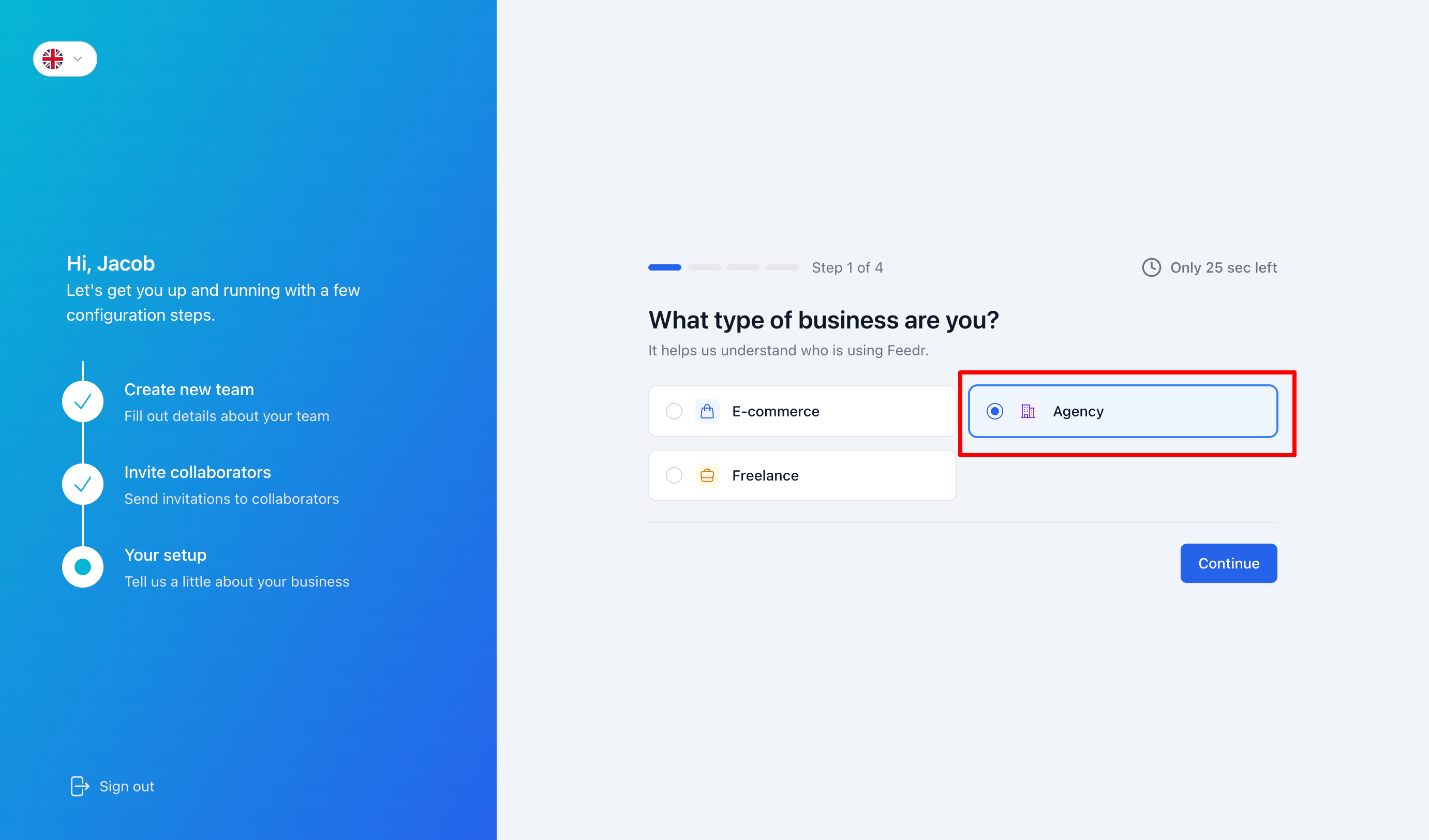
- When Feedr asks What type of business are you?, choose Agency.
- Answer the remaining questions and click Finish setup.
Your team is now an agency, and you land on the Clients page. From here you can create your first client or invite a client who already uses Feedr.
INFO
Choosing Freelance does not create an agency account. If you are a freelancer managing several clients, choose Agency.
TIP
If you already have a Feedr team and want to turn it into an agency, contact Feedr support. A team that is already connected to an agency can't become an agency itself.
What's different about an agency team
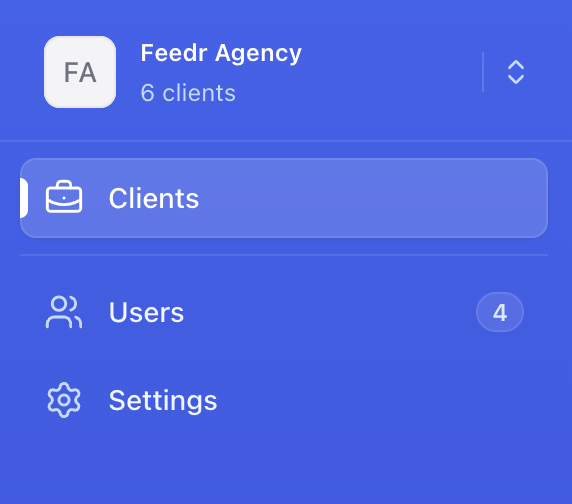
Because your agency doesn't hold shops of its own, the menu looks a little different:
- Clients shows all of your clients. See how to use the Clients page.
- Users is where you invite your colleagues. See how to manage your agency team.
- Settings holds your agency's name and details, and your company email domain.