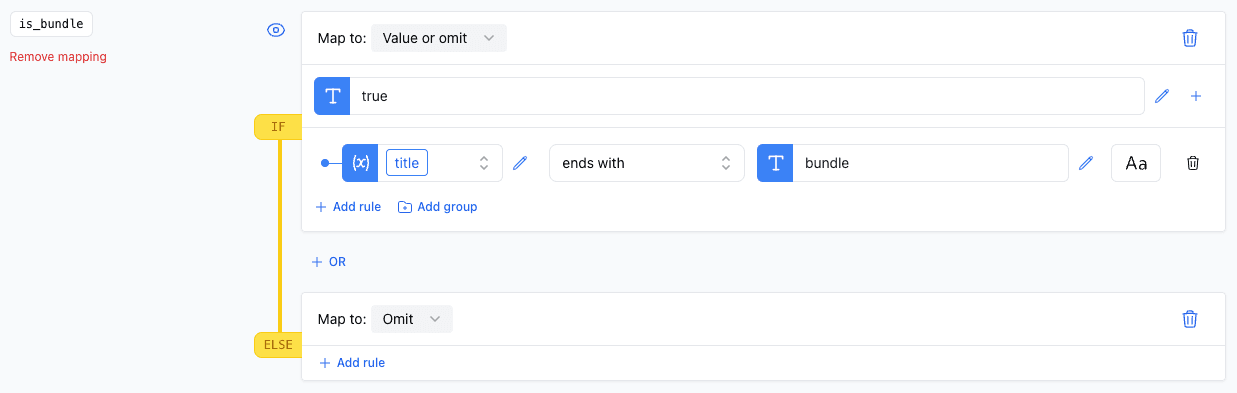
Appearance
Ends With
The ends with rule allows you to validate whether a specific field's value terminates with a designated substring. This can be useful for classifying products based on their SKU or identifying items by their naming conventions.
Options
To apply the ends with rule, specify the substring that the field value should end with. This can be either a static value or a dynamic field value from the product.
Case Sensitivity
The rule is case-insensitive by default. Activate the caseSensitive option to enforce case-sensitive matching.
Examples
Basic Usage
In this example, we examine check if the title ends with the word "bundle". If thats the case we set the "is_bundle" attribute to "true".