Appearance
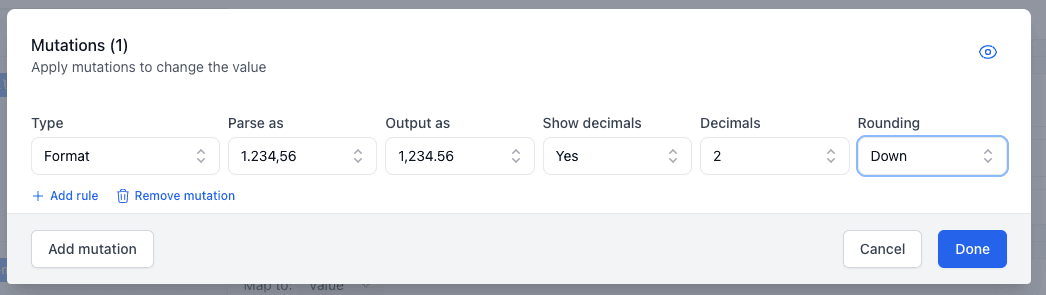
Format Mutation
The Format mutation allows you to format numerical values according to specified formatting rules. This is useful for standardizing number formats such as prices, percentages, or other numerical values.
Options
Parse as
- 1,234.56: Parses the value according to the number format that uses period as decimal seperator.
- 1.234,56: Parses the value according to the number format that uses comma as decimal seperator.
Output as
- 1,234.56: Outputs the value in the number format that uses period as decimal seperator.
- 1.234,56: Outputs the value in the number format that uses comma as decimal seperator.
Show decimals
- Yes: Shows decimal places in the output.
- No: Does not show decimal places in the output.
Decimals
- 0: Zero decimal places.
- 1: One decimal place.
- 2: Two decimal places.
- 3: Three decimal places.
Rounding
- Down: Rounds the value down.
- Nearest: Rounds the value to the nearest number.
- Up: Rounds the value up.
Example
Here we use format to convert the price into the format the Google Shopping channel requires.