Appearance
Not Between
The not between rule works similarly to the between rule, but inversely. It returns true if the value is outside the specified lower and upper numerical limits.
Options
- Lower Limit: Specify the lower numerical value of the range.
- Upper Limit: Specify the upper numerical value of the range.
Examples
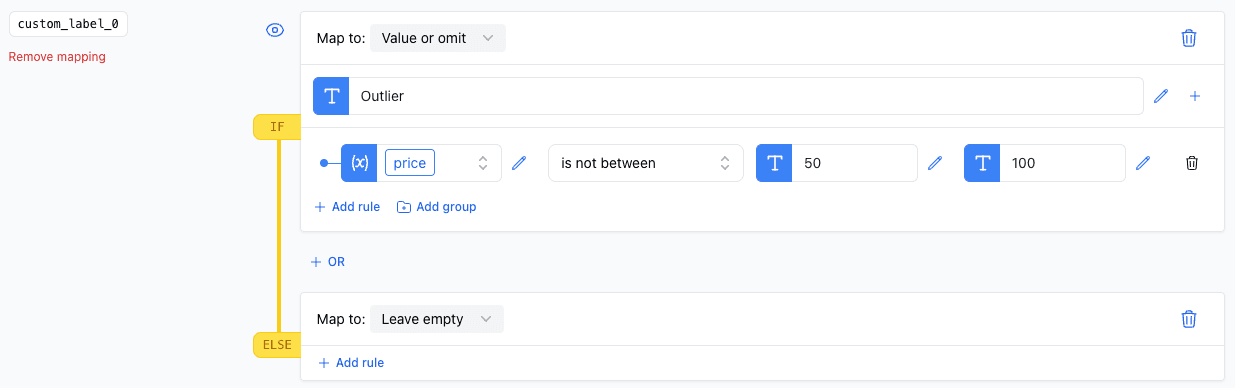
Outliers in Pricing
In this example, the not between rule is used to flag products that have a price outside the range of 50 to 100.