
How to fix failed downloads
To remove a background, Feedr first downloads the photo from your store. When that fails, the image can't be processed, and products keep their original photo. Go to Products, open the Background removal tab and click Failed downloads. The number next to it shows how many images failed.
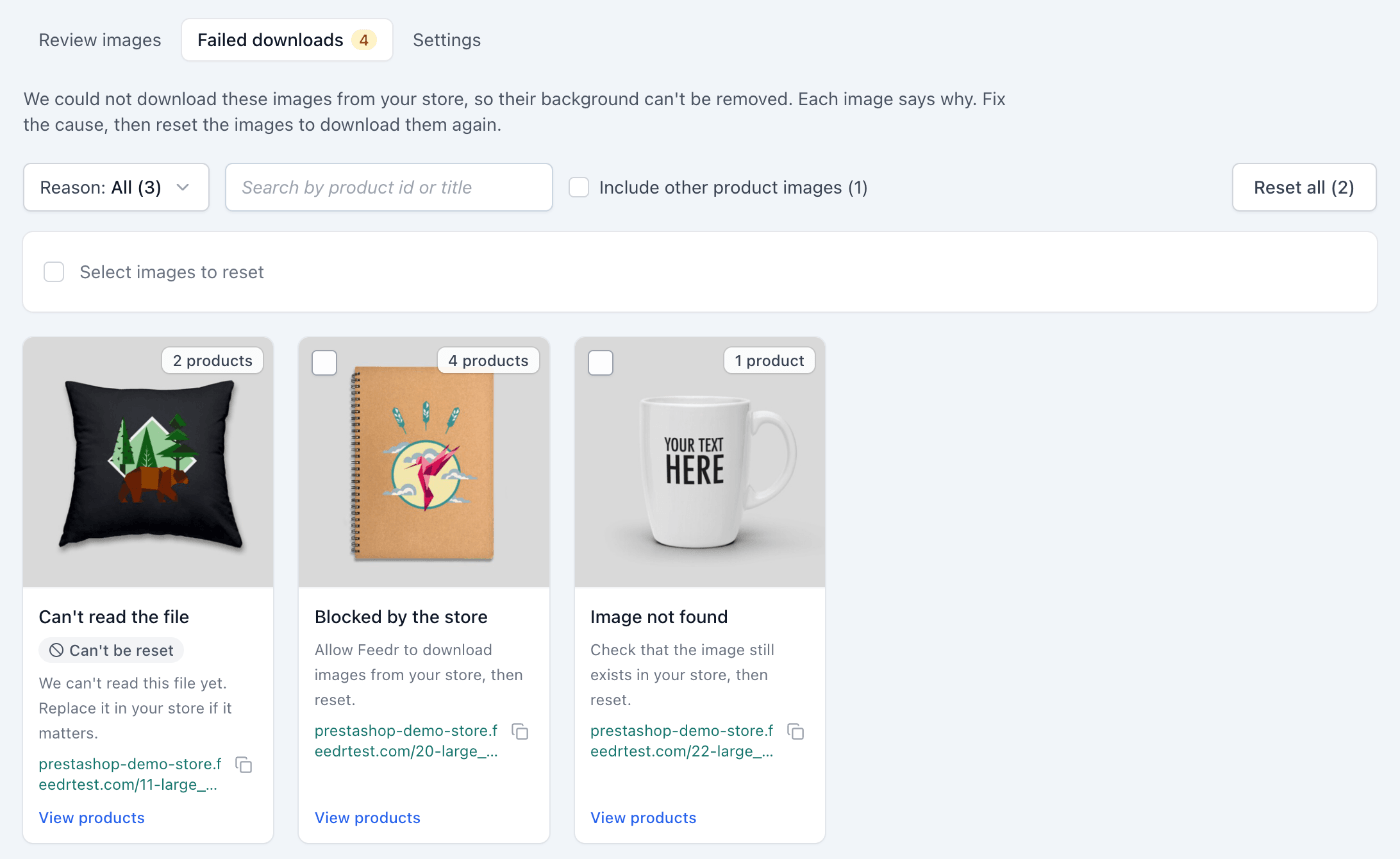
Each image says why it failed and what to do about it. Use Reason to show one kind of failure at a time.
Common reasons
| Reason | What to do |
|---|---|
| Blocked by the store | Your store or its firewall refused the download. Allow Feedr to download images from your store, then reset. |
| Image not found | The image no longer exists at its link. Check that it's still in your store, then reset. |
| Store server error | Your store's server returned an error. Reset to try again, and ask your hosting provider if it keeps failing. |
| Store domain not found | Check your store's domain, then reset. |
| Connection failed | Reset to try again. |
| Problem on our side | Reset to try again, and contact support if it keeps failing. |
| Broken image link | Fix the image link in your store. |
| Unsupported format | Use a JPG, PNG or WebP image in your store. |
| Can't read the file | Replace the image in your store if it matters. |
| Unknown, contact support | Contact support and we will look into it. |
Images marked Can't be reset need a change in your store first. When your store sends a new image link, Feedr downloads it like any new image.
Download images again
Once you've fixed the cause, select the images and click Reset, or click Reset all to reset every image in the current filter. The images download again as if they were newly imported. Many images can take a while.
INFO
Only the first image of each product has its background removed, so the tab shows those by default. Tick Include other product images to also see failed images that products use further down their image list. Templates with several product images still use those.