
Appearance
How to manage your agency team
Invite your colleagues to your agency team so they can work on your clients' accounts. Everyone at your agency is either an Owner or an Employee.
Agency roles
| What they can do | Owner | Employee |
|---|---|---|
| Work in clients' accounts | ✅ | ✅ |
| Create clients | ✅ | ✅ |
| Share the invite link with clients | ✅ | ✅ |
| Detach clients | ✅ | ✅ |
| Choose who at the agency can access each client | ✅ | |
| Invite and manage agency users | ✅ | |
| Edit agency settings and email domains | ✅ |
Owners can always see and work in every client. Employees see the clients an owner has given them access to. By default that is every client. See how to choose who can access a client.
Invite a colleague
- Go to Users in the menu, or click Invite user on the Clients page.
- Click Invite user.
- Enter your colleague's email and choose Owner or Employee.
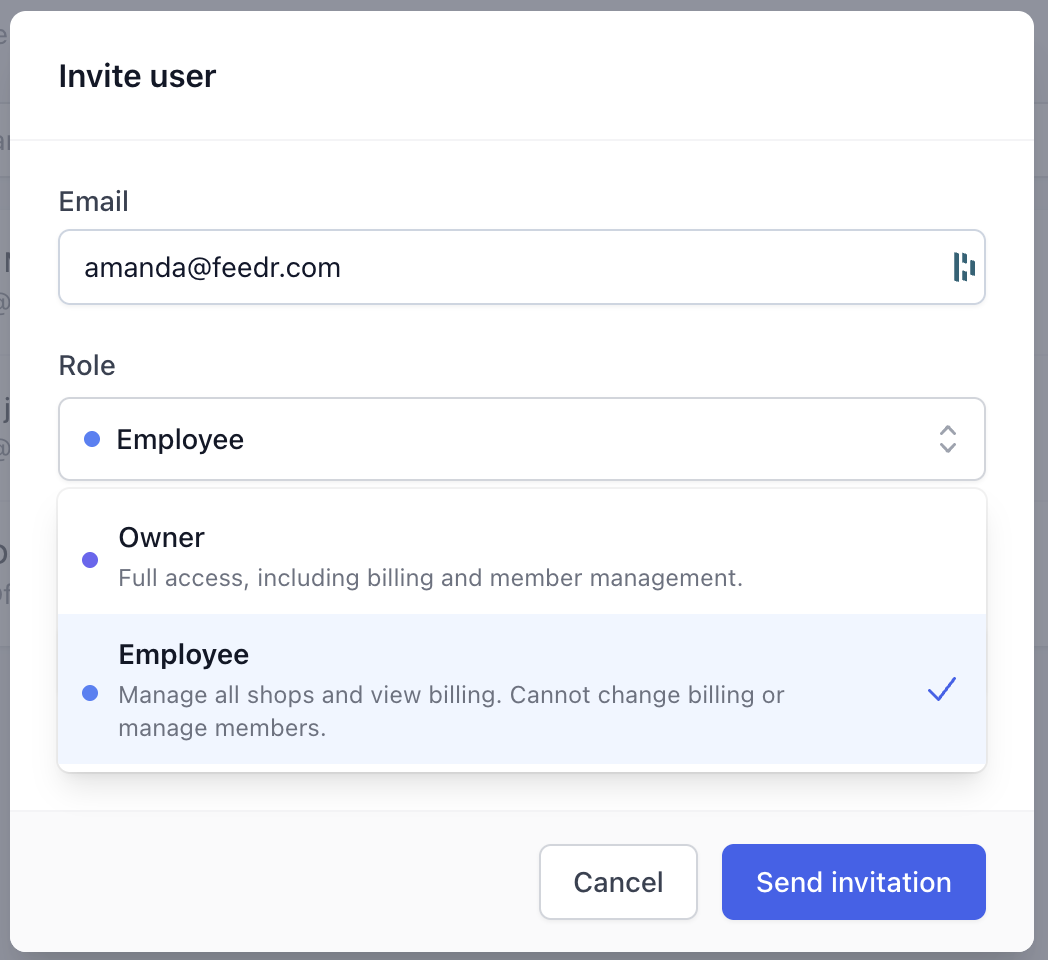
Your colleague gets an email with the invitation. Once they accept, they get access to your clients. This can take a moment after they join.
INFO
Agency teams don't have per-shop roles such as Guest. If someone should only work on one client, invite them as an Employee and give them access to just that client.
Remove a colleague
When you remove someone from your agency team, they immediately lose access to all of your clients.
If someone also had a role given to them directly by a client, for example because they created that client's team, they keep that role. Remove them from the client's Users page as well if needed.
Add your company email domain
Instead of inviting every colleague one by one, you can add your company's email domain. Anyone who later signs up to Feedr with an email at that domain is automatically invited to your agency as an Employee, and your agency owners get an email when it happens.
- Go to Settings.
- Under Email domains, click the add button for your domain, for example Add myagency.com.

You can only add the domain of the email you're signed in with, so to add myagency.com you need to be signed in with an @myagency.com address. Public email domains such as Gmail or Outlook can't be used, and a domain can only belong to one team.
Only agency owners can add and remove email domains.