Appearance
How to let clients create the Meta integration
If you are not the admin of the Meta Business portfolio, you can create a link for the admin to use, so they can make the integration for you.
This is useful if you don't want to invite the admin to your Feedr team.
How to create the link
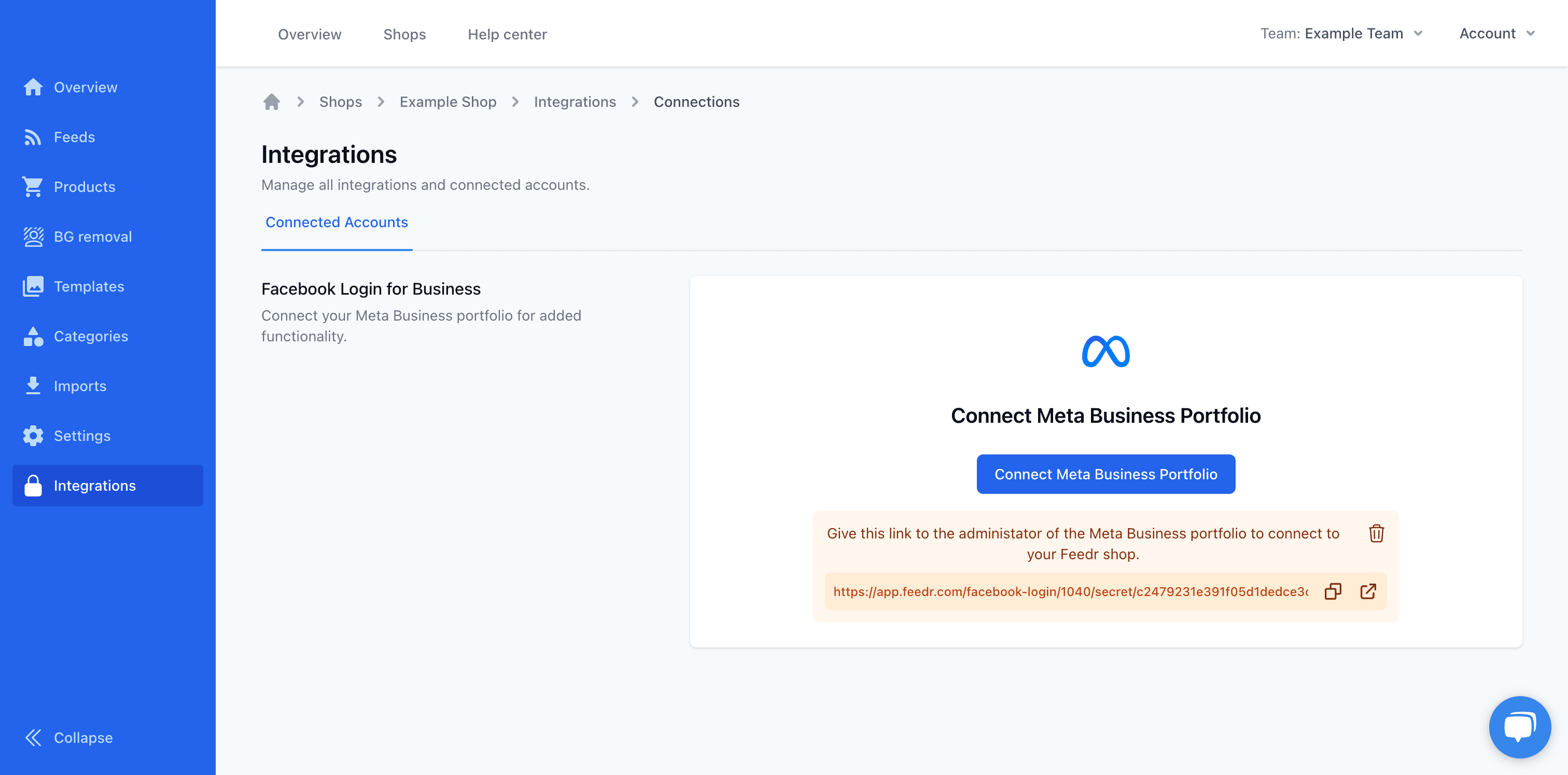
To do this, go to Integrations and click the Create link button.
Once the link is created, the link will be shown. Here you can copy the link and send it to the admin. Once you are done with the link you can delete it by clicking on the Thrashcan.
How to use the Link
When the link is opened a page like this will be shown.
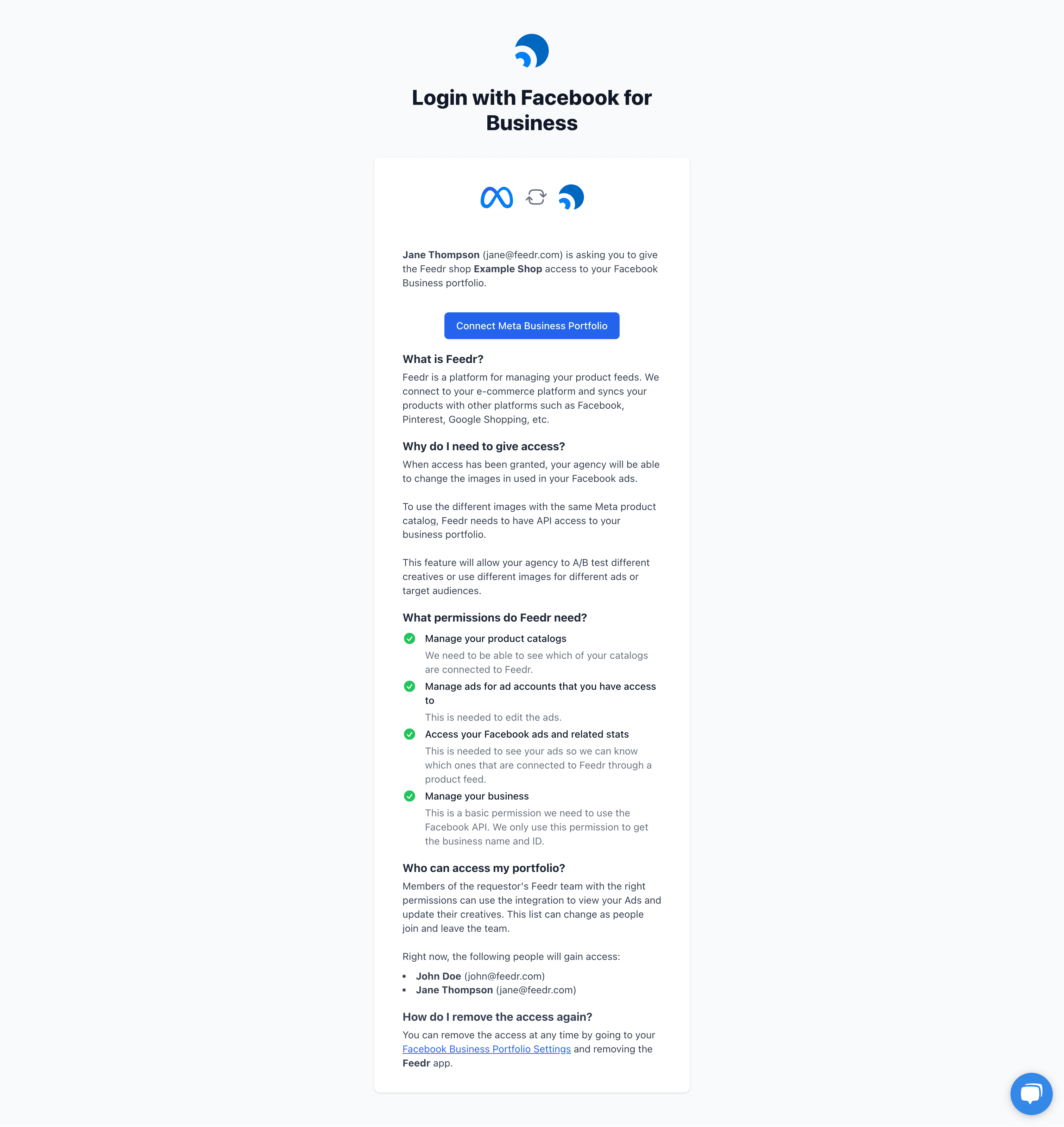
This will tell the admin what the integration is and what it is used for. It also shows the names and emails of the users who will have access to the integration after it is made.
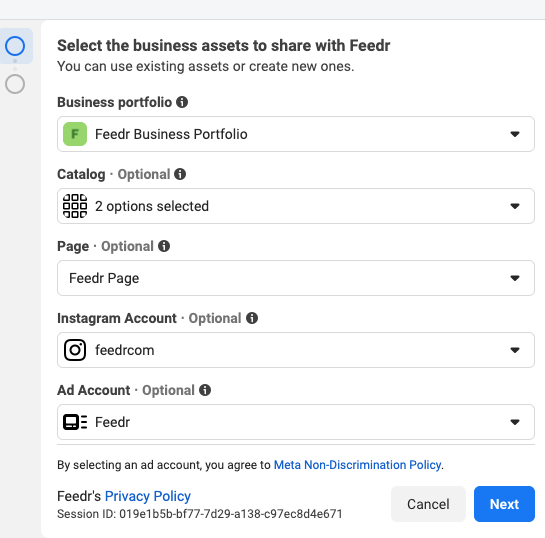
To make the connection press the Connect Meta Business Portfolio button. This will open a new window. Here you will need to select the assets you want to connect to Feedr. This includes:
- Meta Business portfolio
- Product catalogs
- Page that you run your ads on
- Ad accounts
- Instagram accounts
TIP
If you create your product catalog in Commerce Manager after you have connected, you will need to "re-authenticate" and select the newly created catalog.
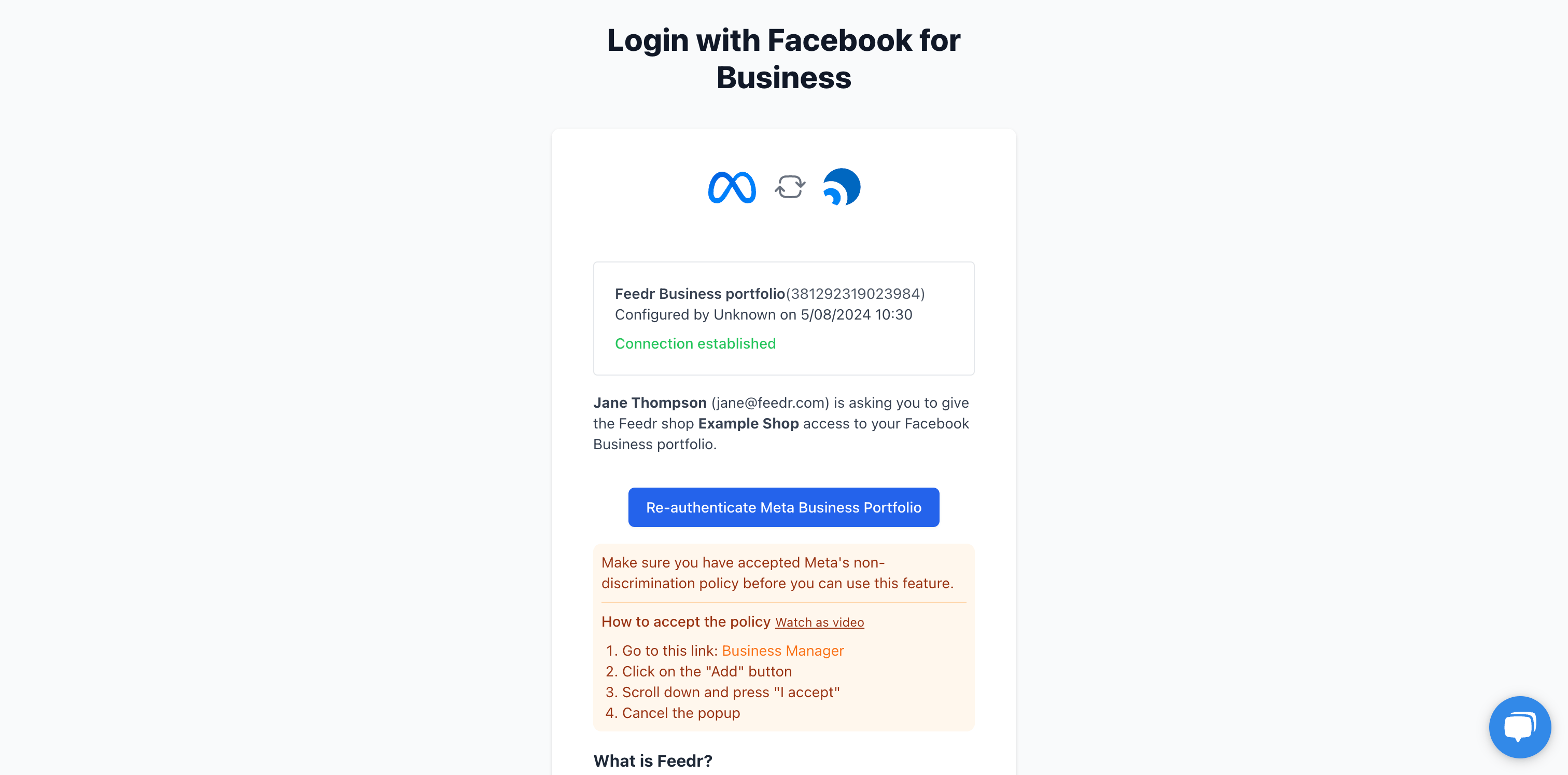
Connected
When you have connected your Meta Business portfolio to Feedr, you will see the following screen.